
Related Articles:
If you need to make specific dates unavailable for online booking, you can easily set this up in your Scheduler.
Here’s how:
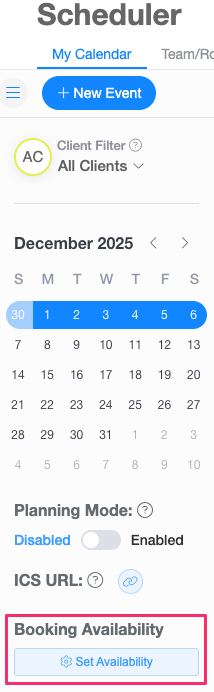
- In the Scheduler, go to Booking Availability and click the Set Availability button.
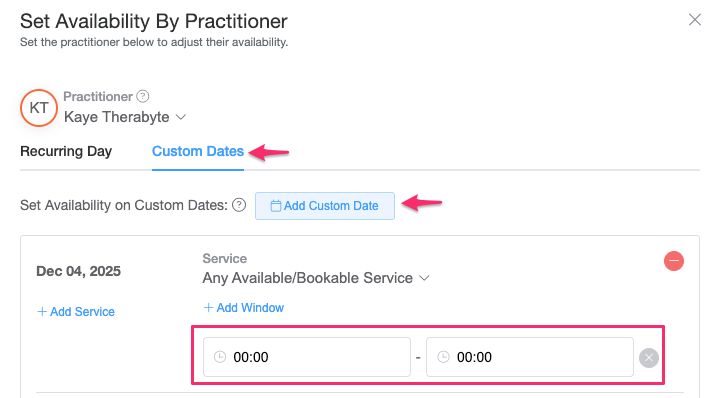
- Navigate to Custom Dates, then click Add Custom Date.
- Select the date you want to block off.
- Set both the Start Time and End Time to 00:00.
- Click Save.
The date will now be marked as unavailable for online booking.