
If you want your event duration to automatically match the duration of the service you select (e.g., a 50-minute service creates a 50-minute event), you can enable this option in your settings. Follow the steps below:
Step-by-Step Instructions
- Navigate to Settings.
- Go to the Scheduler tab
- Enable “Set session duration to service duration”.
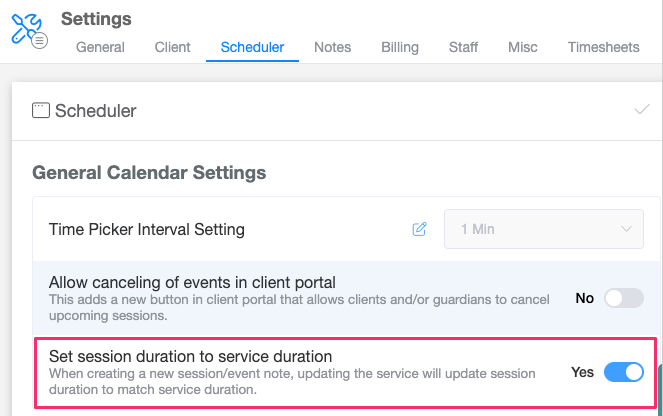
- Make sure to click Save to apply the changes.
Once this setting is enabled:
- All newly created events will automatically adjust their duration based on the service you select.
For example: Selecting a 50-minute service will automatically create a 50-minute event.