
The default Consent Form block in the Form Builder is not editable. However, you can create a customizable consent form using a simple workaround and save it as a reusable custom block.
This guide will walk you through how to build your own consent form and reuse it across multiple forms.
Why use a custom consent form?
The standard consent block is fixed and cannot be modified. By creating a custom version, you can:
- Tailor consent language to your clinic
- Add or remove consent items
- Reuse the same structure across multiple forms
How to Create a Custom Consent Form
Step 1: Create or Open an Existing Form
- Open an existing form or create a new one in the Form Builder.
Step 2: Add a Multiple Choice Field
There are several ways to add a Multiple Choice field to your form:
- Option 1: Drag and Drop
From the list of available fields, drag the Multiple Choice field and drop it into the block or row where you would like it to appear.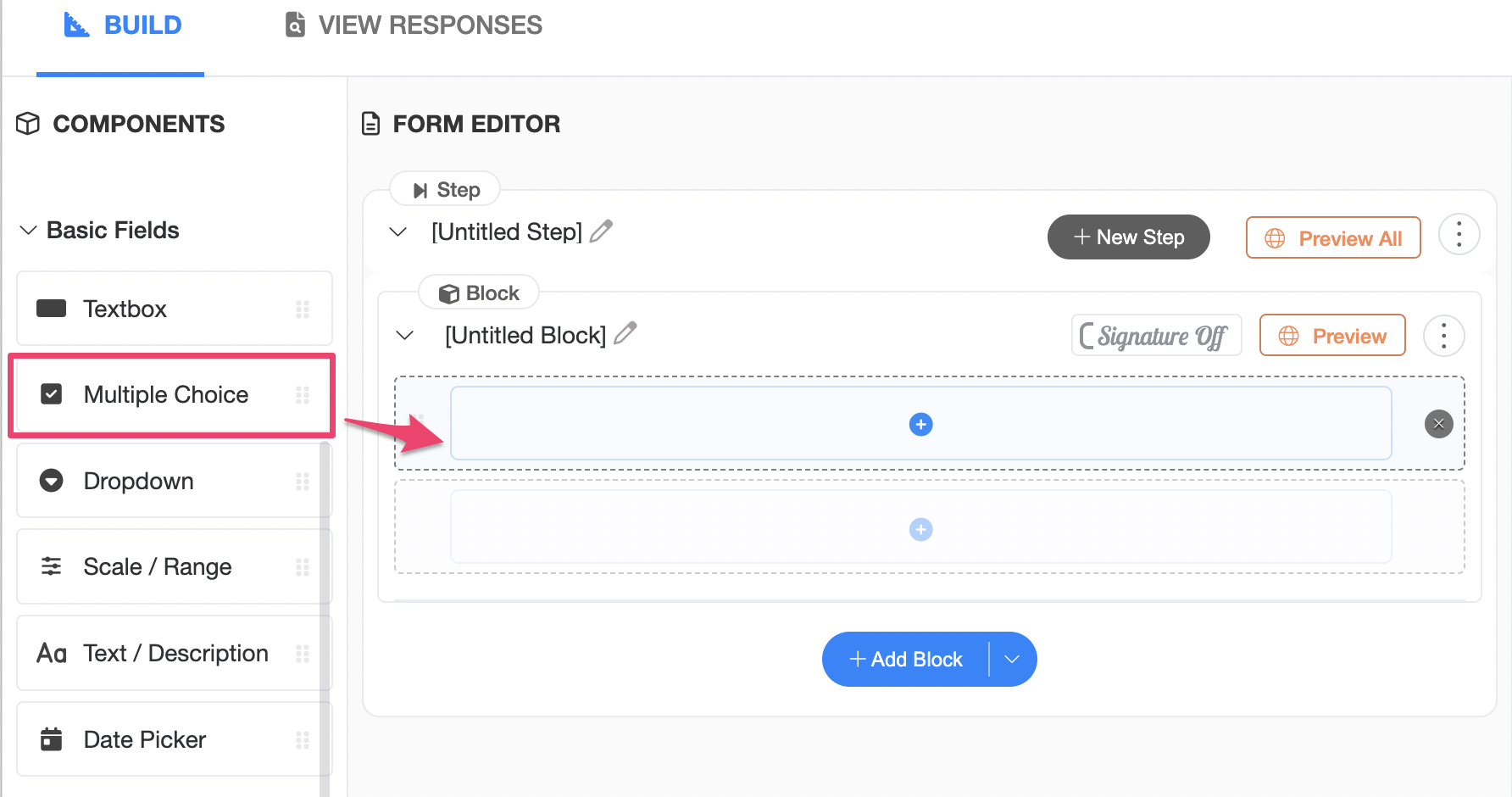
- Option 2: Add to a Block
If needed, add a new row within the existing block. Then click the (+) button where you would like the field to appear and select Multiple Choice from the list of available fields.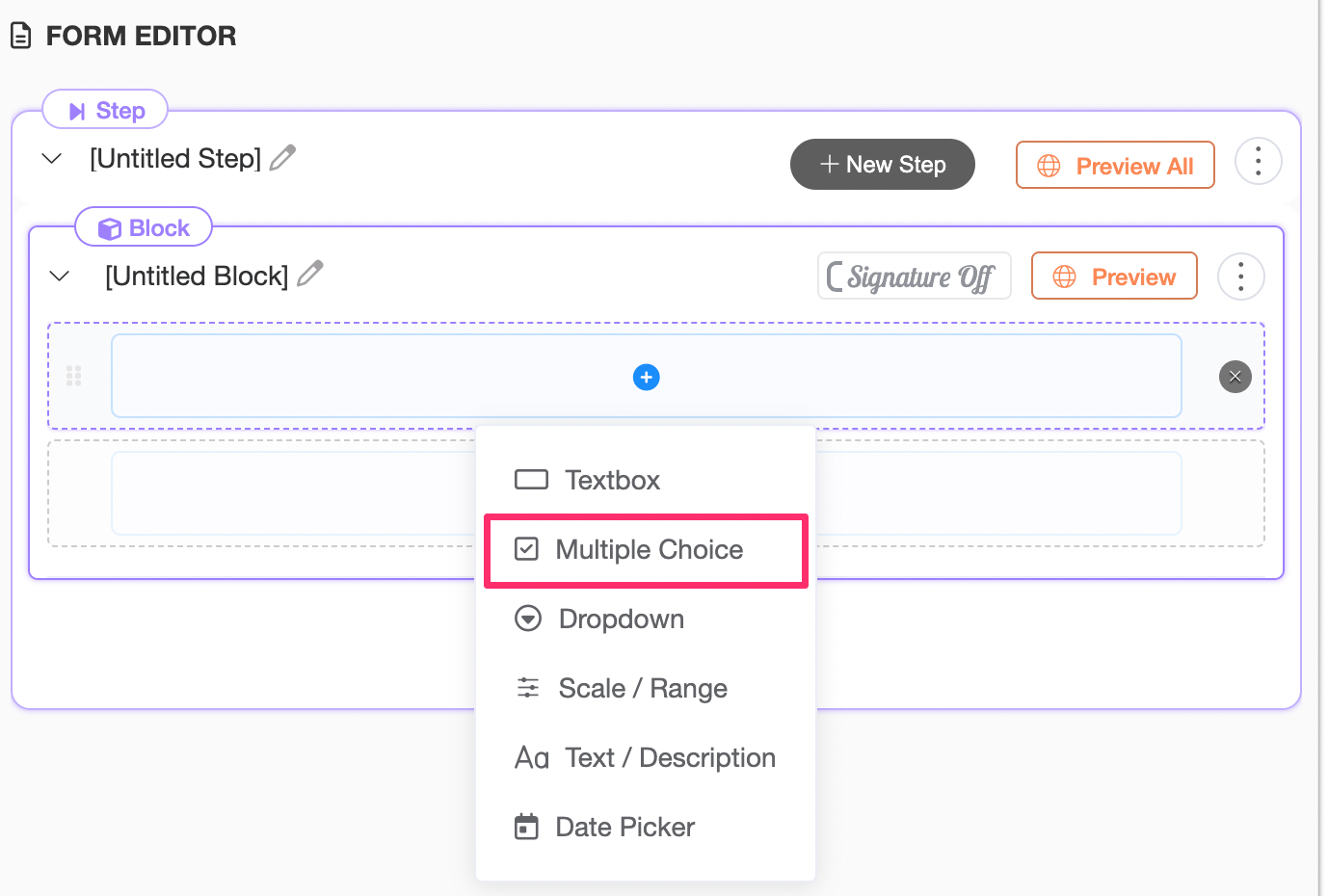
Step 3: Configure Your Consent Options
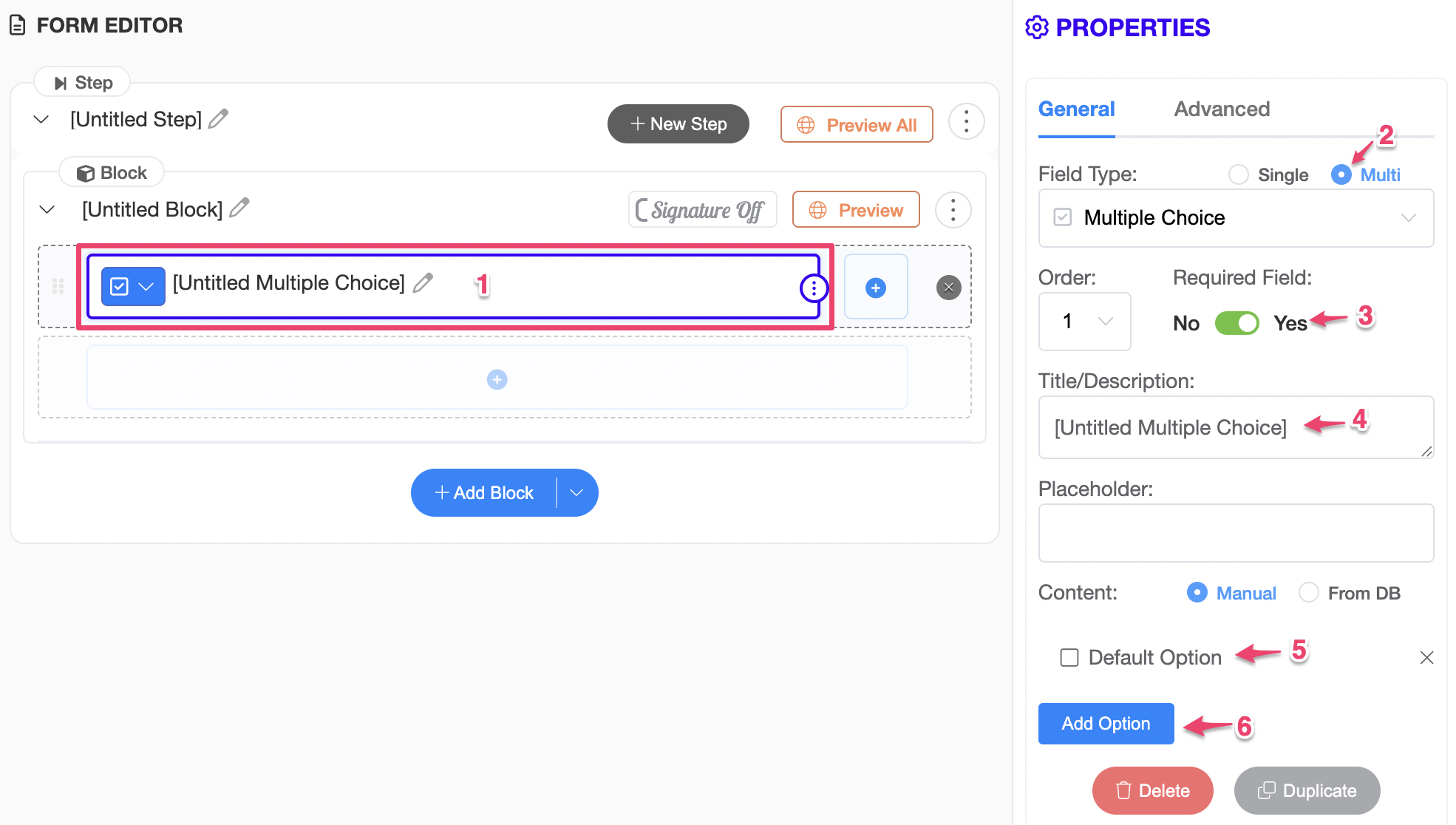
- Click the newly added field to open its properties.
- Change the selection type to Multiple.
- Enable the Required option if clients must complete all consent selections.
- Adjust the Title/Description
- Enter each consent statement in the Options field.
- Click Add Option to add additional consent statements as needed.
Step 4: Save the Form
Once you have finished configuring your consent options, click Save Form.

Once saved successfully, the system will allow you to save this configuration as a Custom Block.
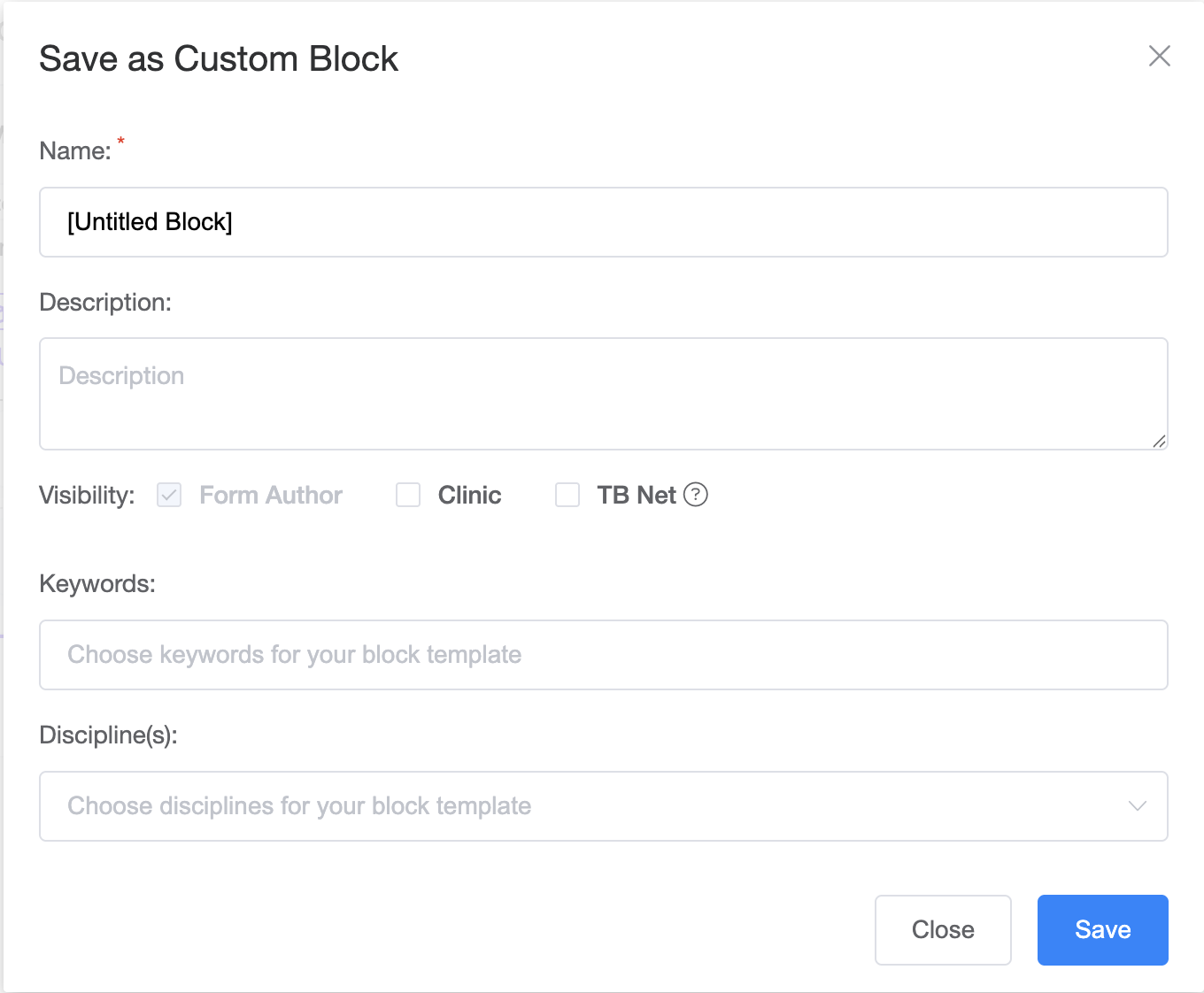
Step 5: Save as a Custom Block
After saving the form:
- Select the Block first to adjust the block properties
- Click the three dots
- Select Save as Custom Block
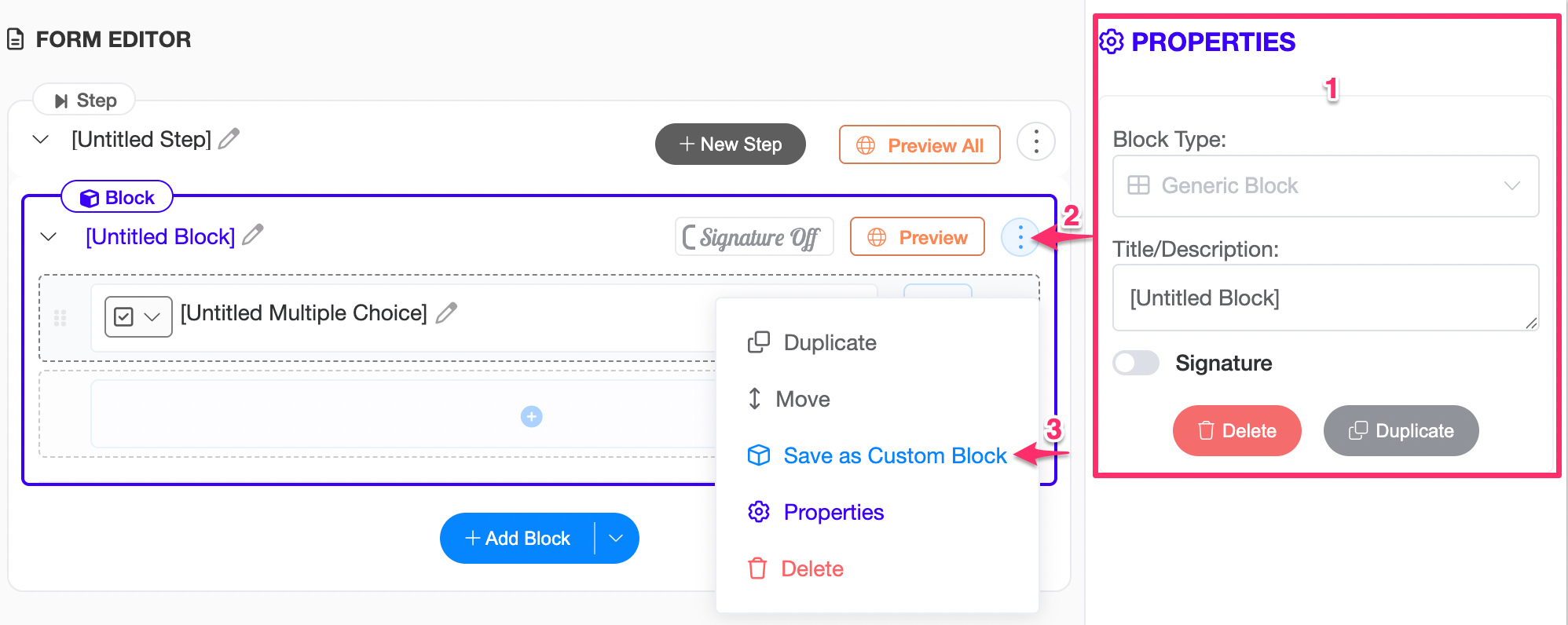
- Enter the custom block details and click save.
Using Your Custom Consent Form
Once saved:
- Your custom consent form will appear in your Custom Blocks library
- You can insert it into any form without rebuilding it
- You can duplicate and modify it as needed